Sailing tracker · Apple Watch · iPhone · iPad

Speed, course and track. On your wrist and in your pocket.

Upwind records your sailing: live SOG and COG, tacks and gybes counted while you sail, and every outing saved with a speed-colored track.

Free · No account · No ads

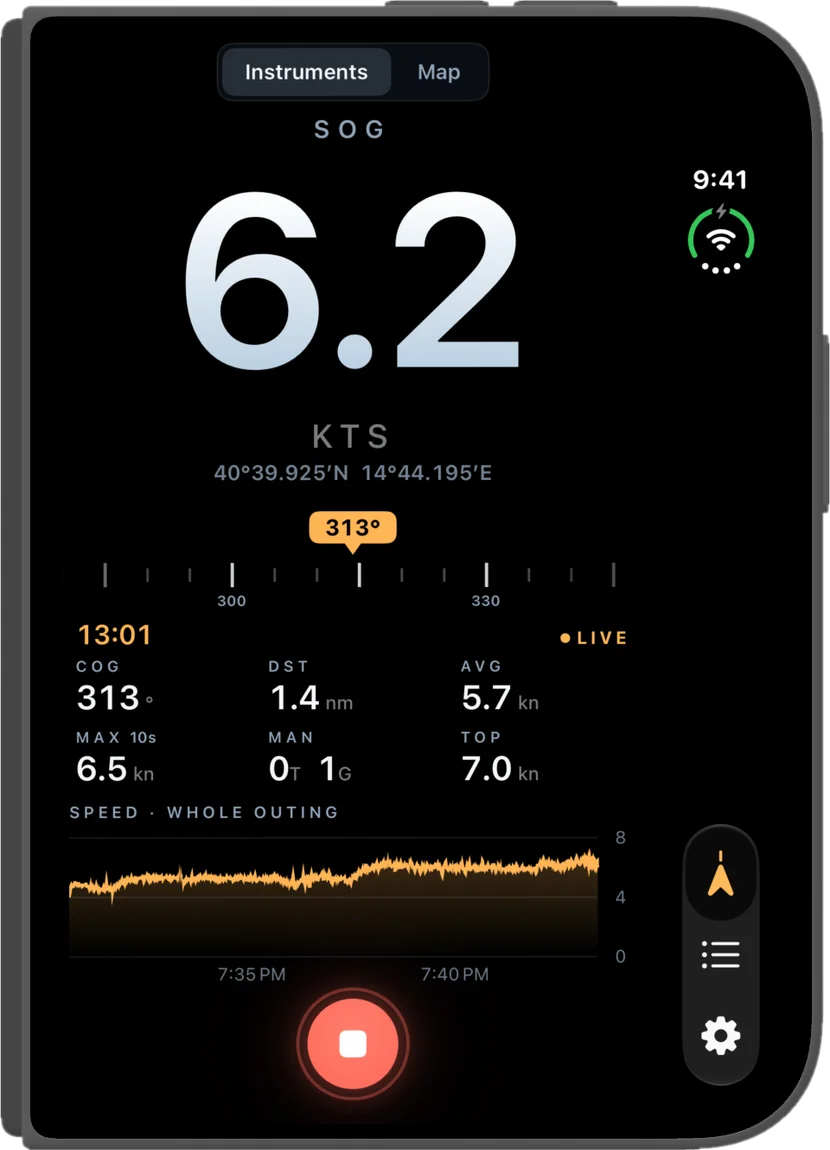
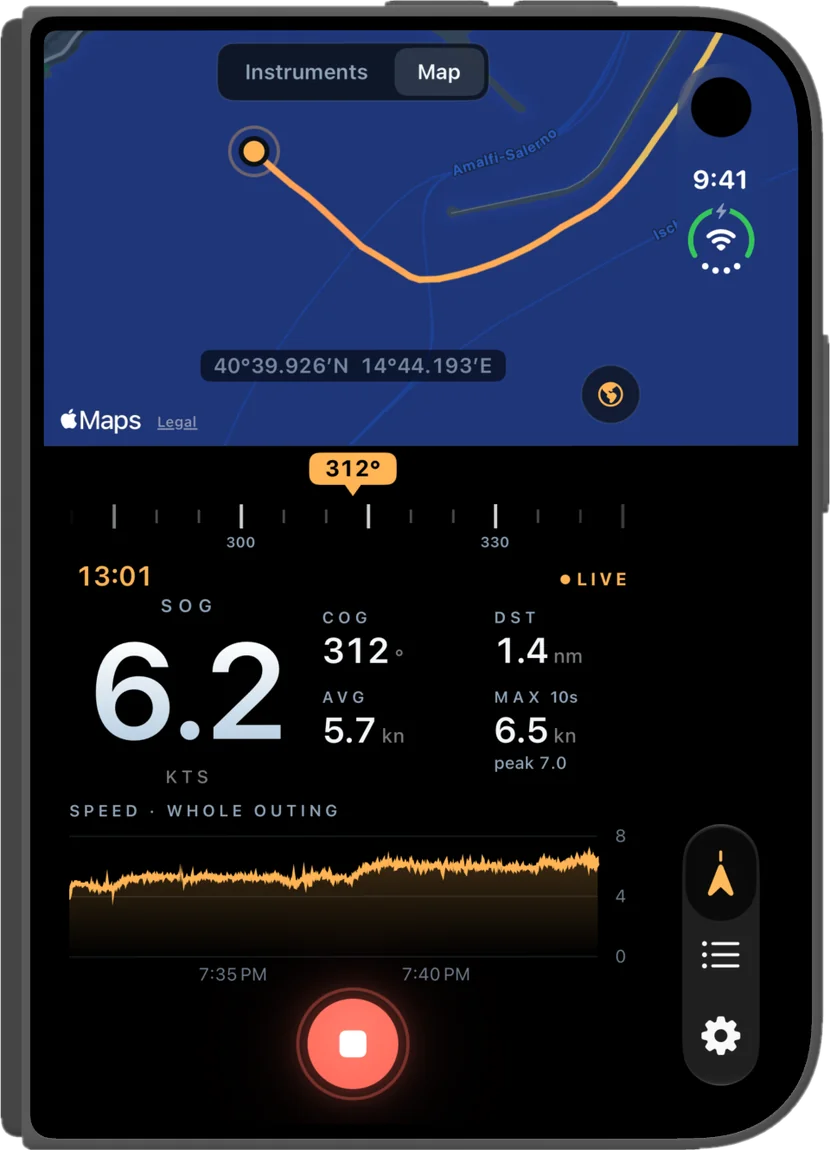
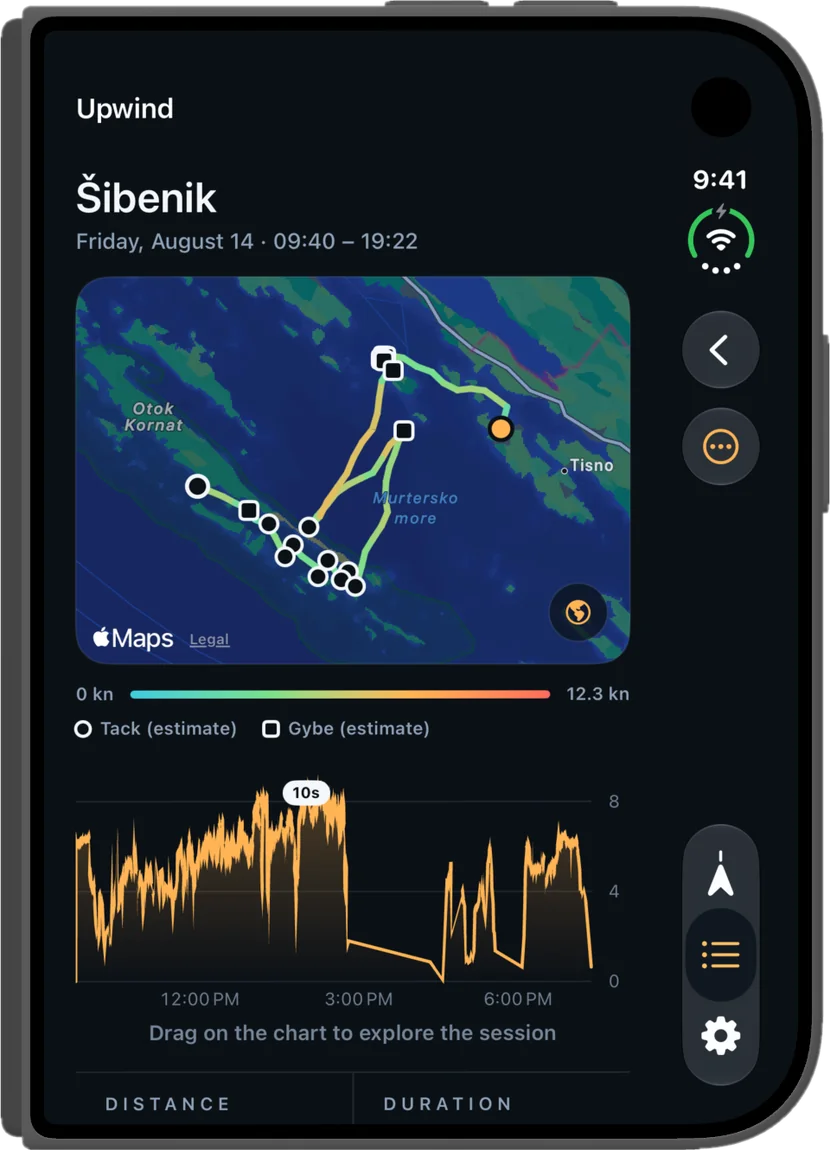
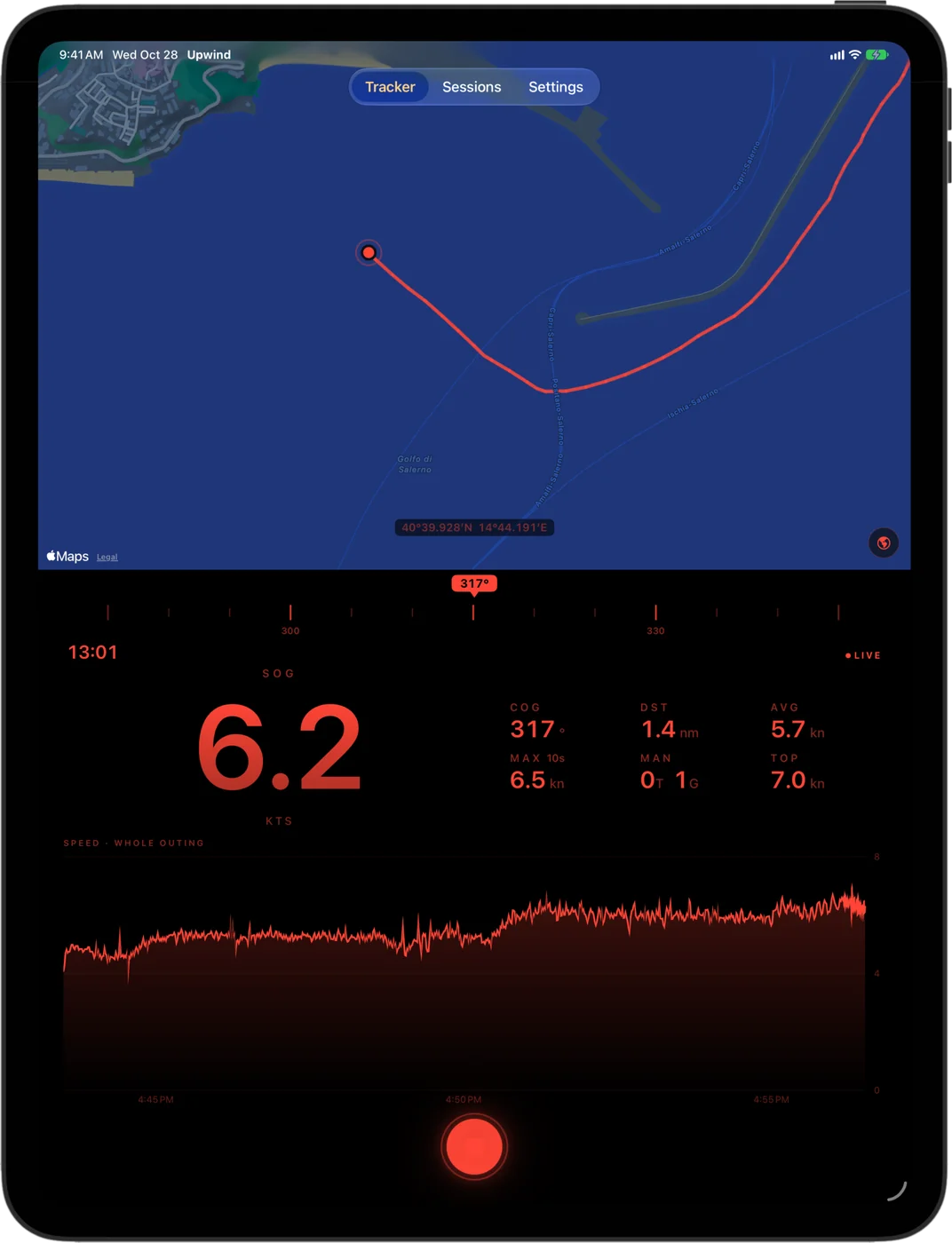
Upwind on iPad: map and instruments
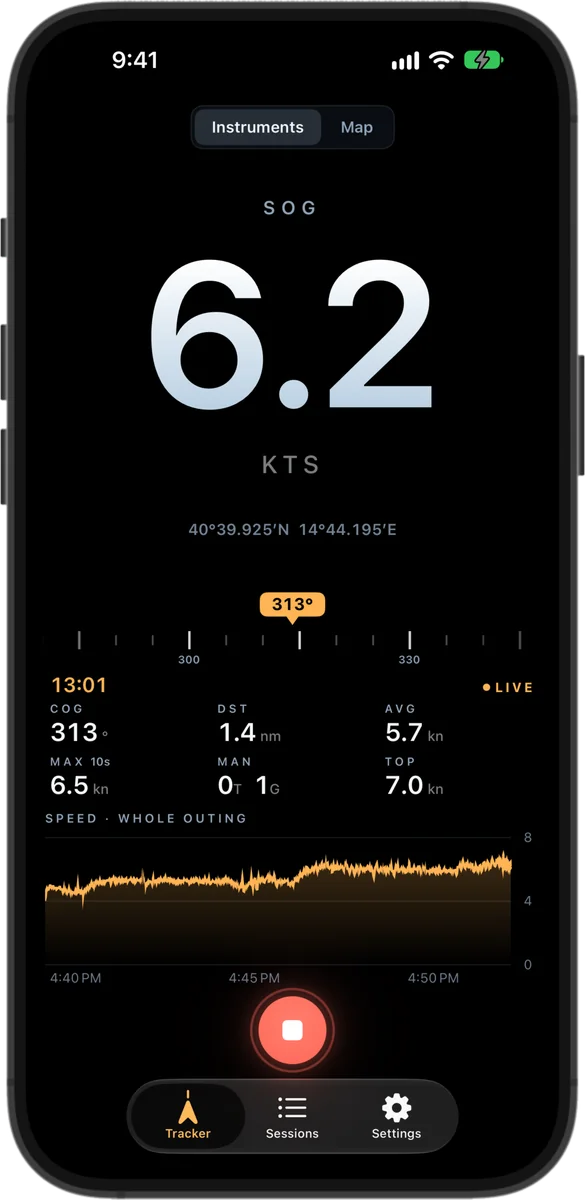
Instruments on iPhone: big speed, compass with the course, six values and chart
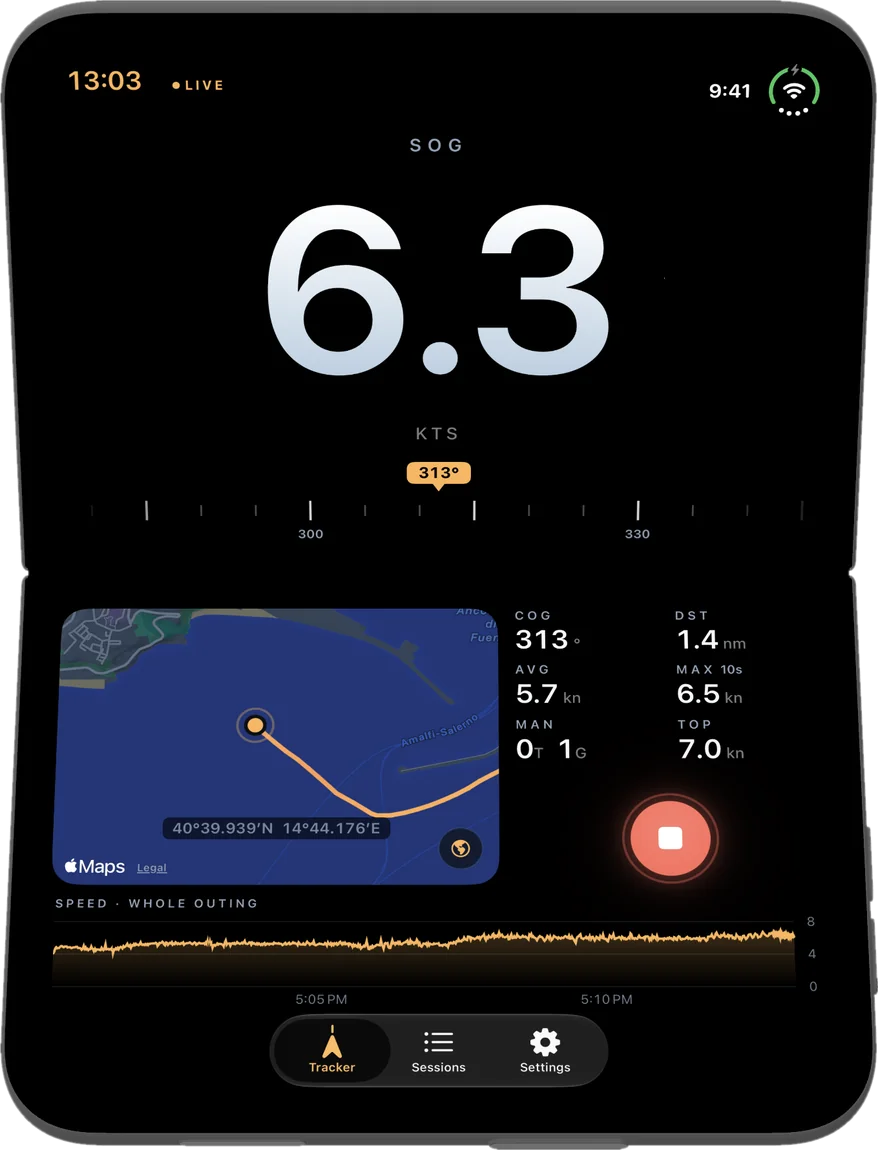
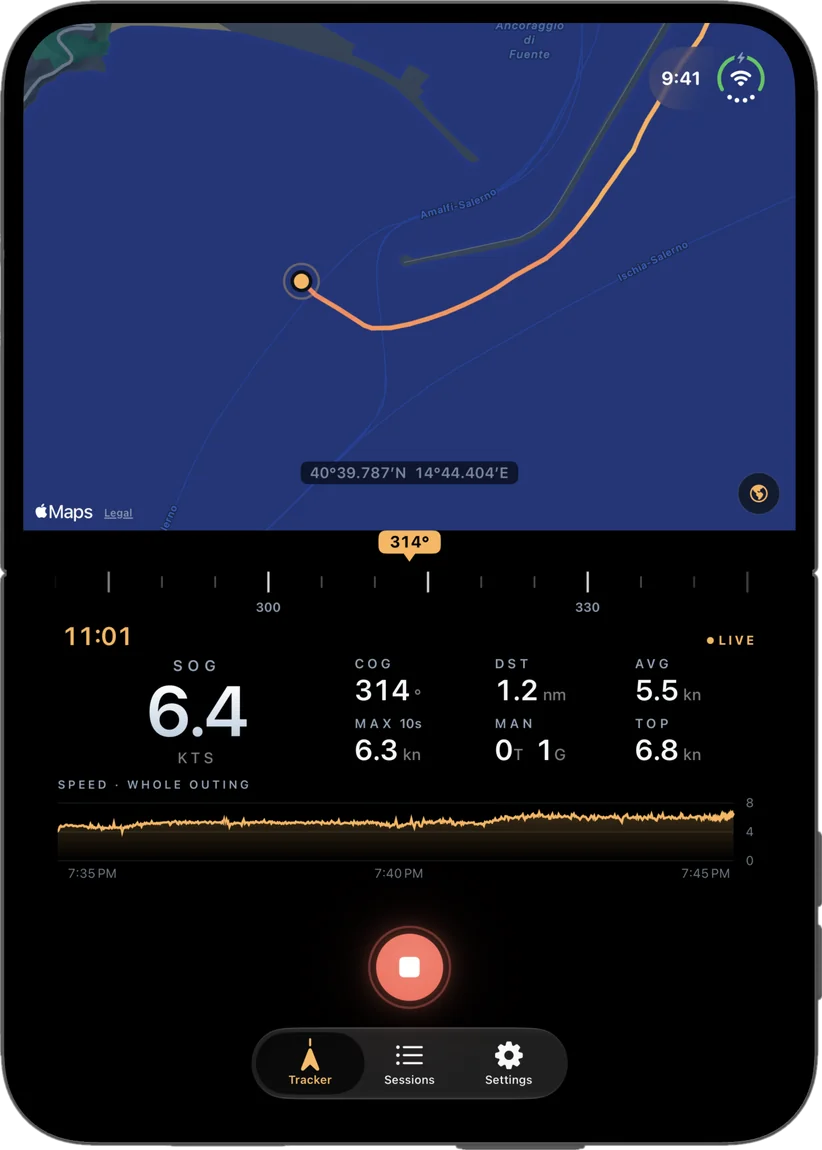
iPhone Duo half open: speed on top, map and instruments below
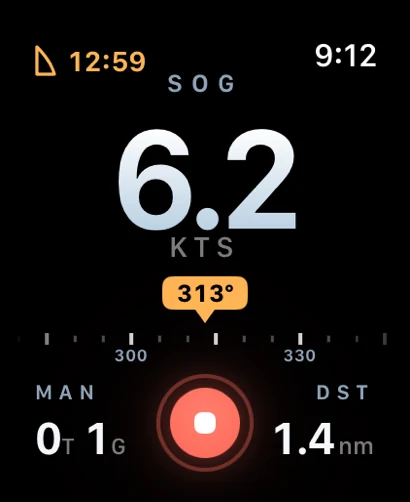
Speed on Apple Watch
Live SOG and COGMAX 10s with no wave or GPS spikesLive tacks and gybesSpeed on the Lock ScreenNight mode at sunsetPrivate iCloud9 languages
Instruments

One big number, when it matters.

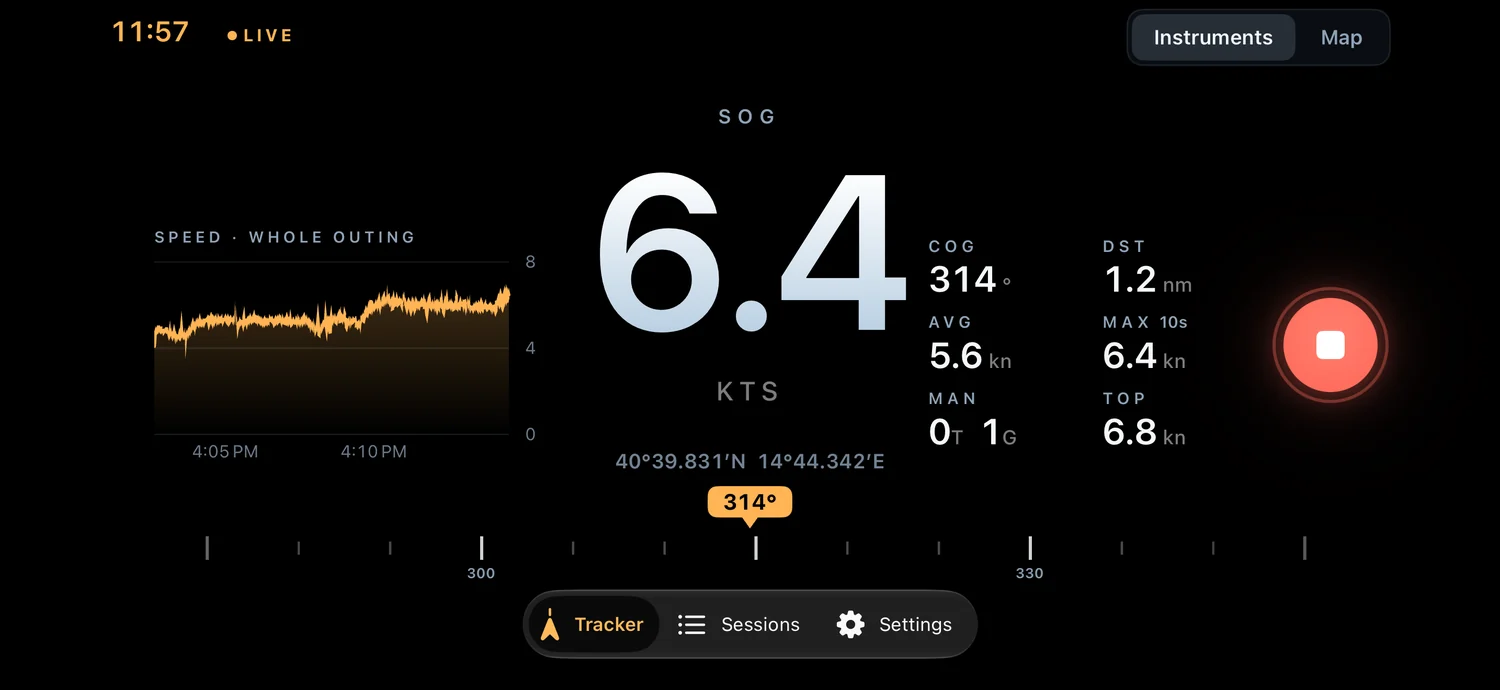
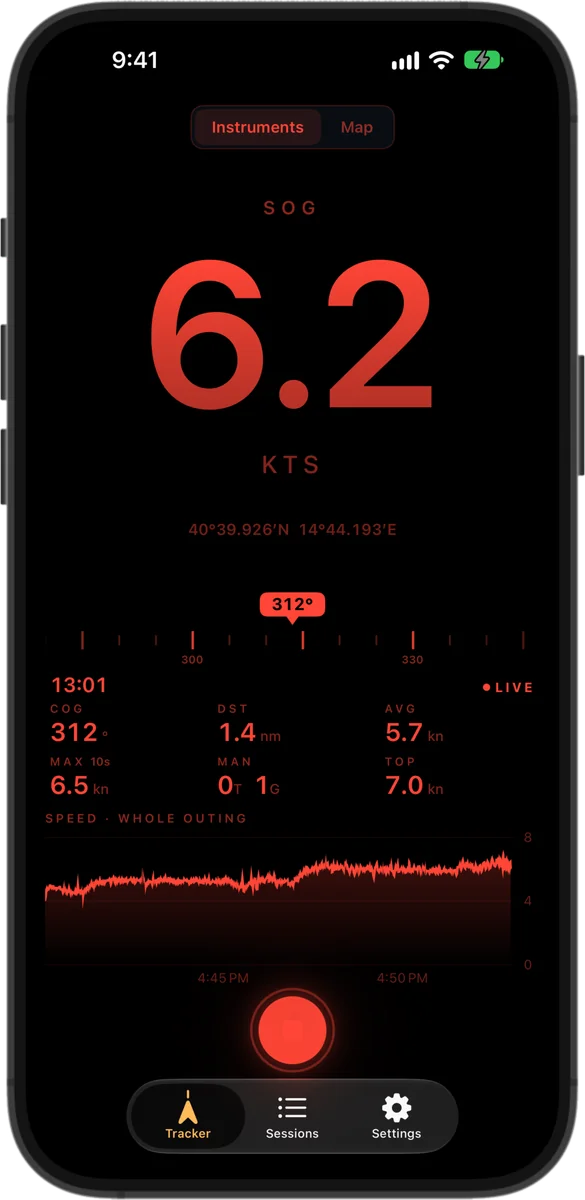
Speed over ground in knots, readable at a glance in sun and spray. Below it, the compass with your course written on it, six live values and the speed chart of the whole outing.

  • Pick the view from the selector at the top: Instruments or Map
  • COG on the compass ribbon, distance, average, MAX 10s, manoeuvres and peak
  • Turn the phone and the instruments lay out in landscape
  • After sunset everything turns red to keep your night vision
Instruments on iPhone: big speed, compass with the course, six values and chart
iPhone Duo closed: instruments
Instruments in landscape on iPhone
Instruments in night mode, all in red
Map

Your track, colored by speed.

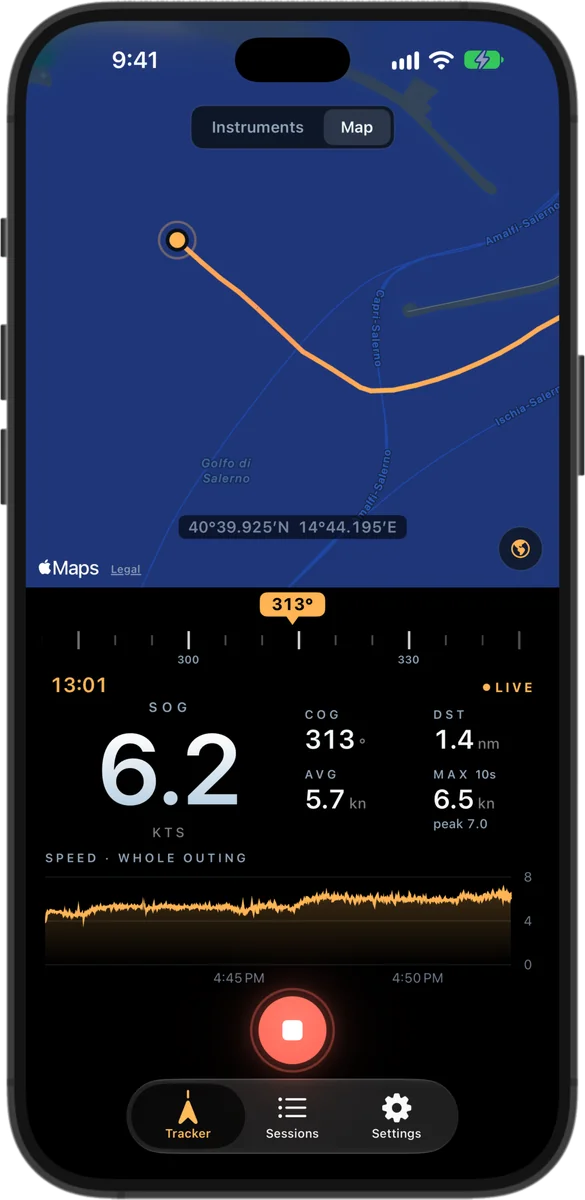
From cyan when you're slow to coral when the boat flies, scaled to each outing. Standard or satellite map, with the same instruments below.

Map with the speed-colored track
iPhone Duo closed: map
New in 2.0 · Lock Screen

Phone in your pocket, speed in sight.

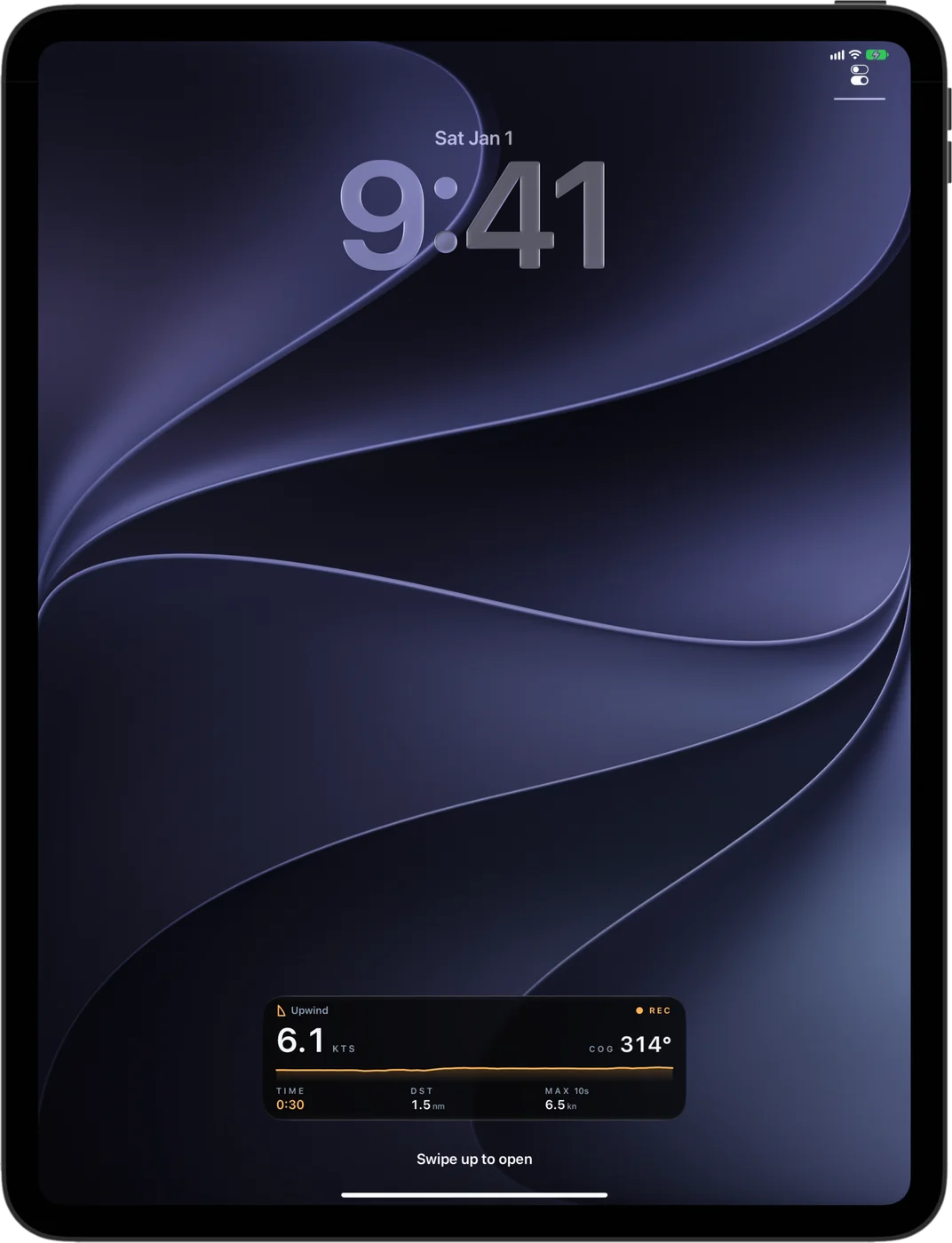
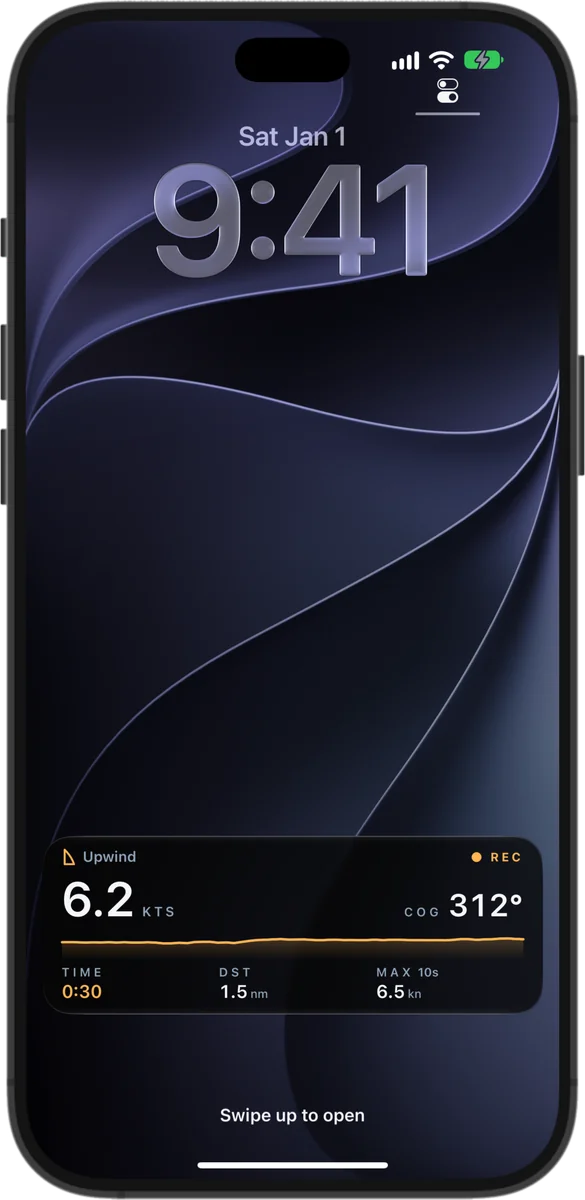
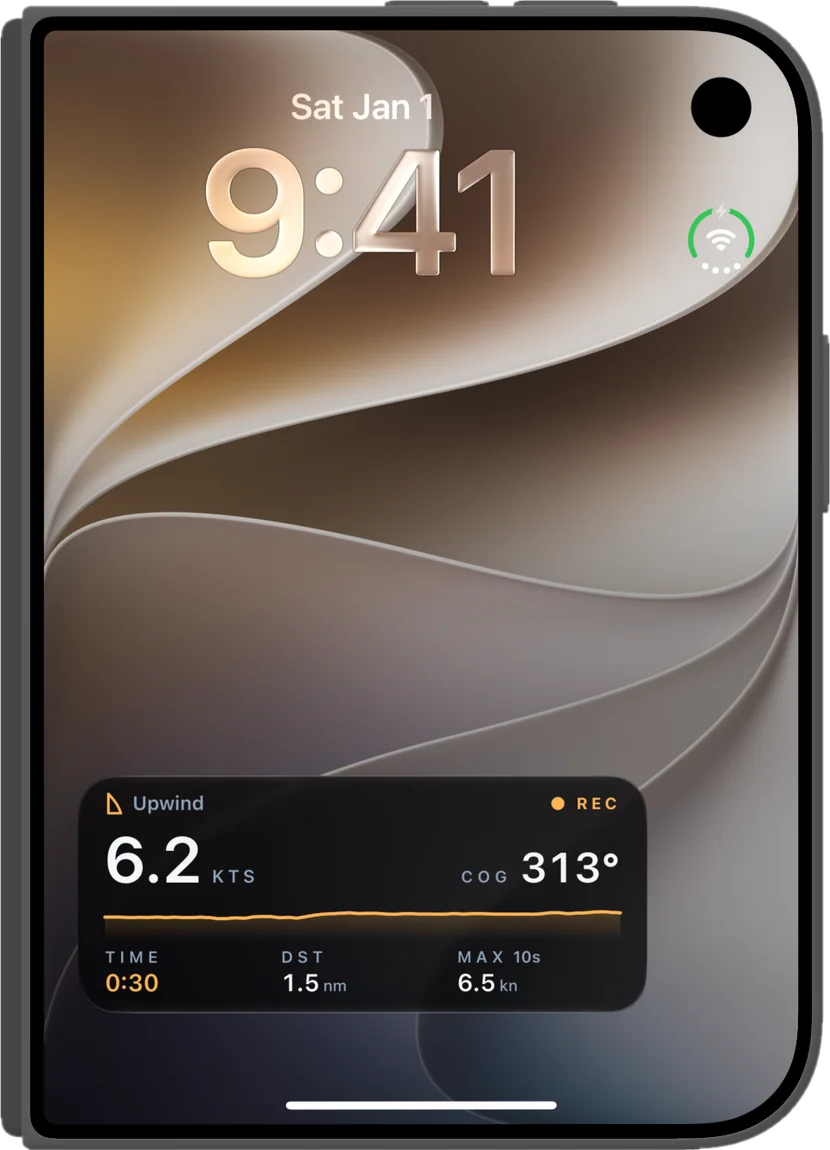
While recording, speed and course stay on the Lock Screen and in the Dynamic Island, with time, distance, MAX 10s and the last minutes of speed. Lock the phone: the track keeps recording.

Speed and course on the iPad Lock Screen
Speed and course on the Lock Screen
iPhone Duo closed: speed on the Lock Screen
Apple Watch

All on your wrist, even without iPhone.

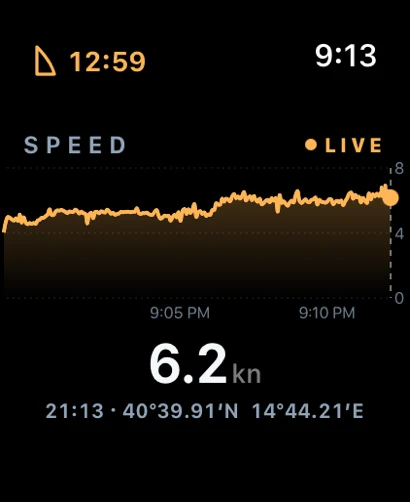
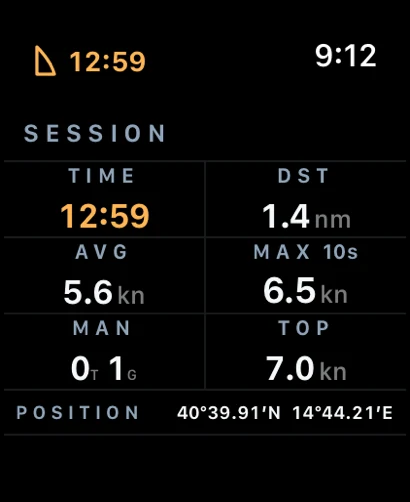
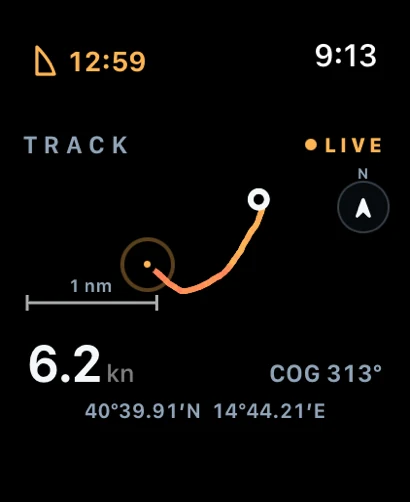
Apple Watch records on its own with its GPS: big speed, compass with your course, live manoeuvres, the speed chart and the track. When you finish, the session reaches your iPhone by itself.

Speed on Apple Watch
Speed chart
Session summary
Track on Apple Watch
After the sail

Sail every leg again.

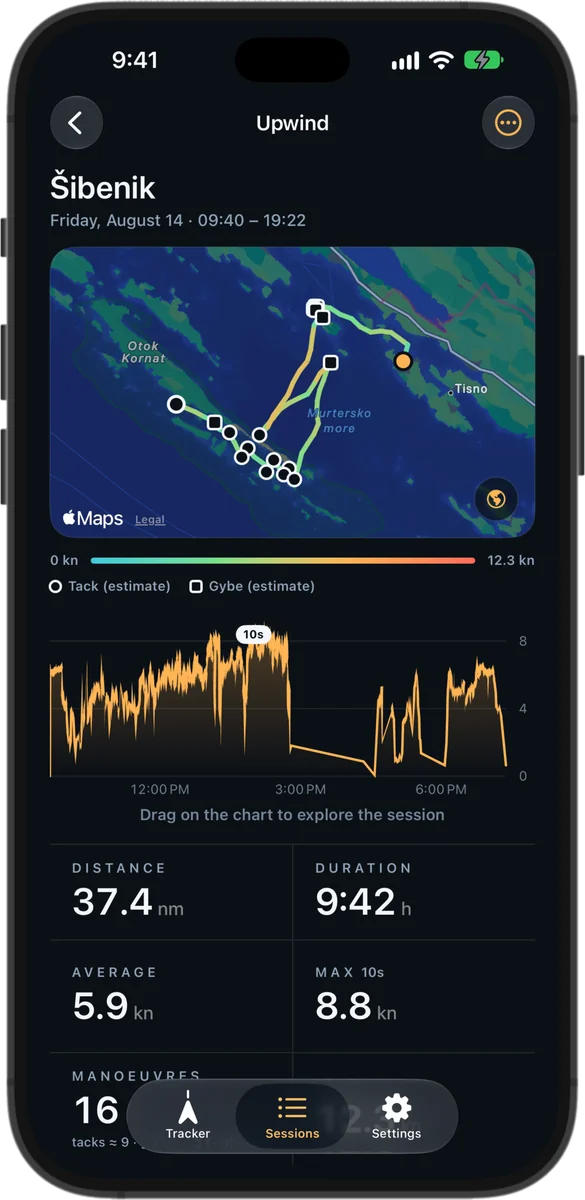
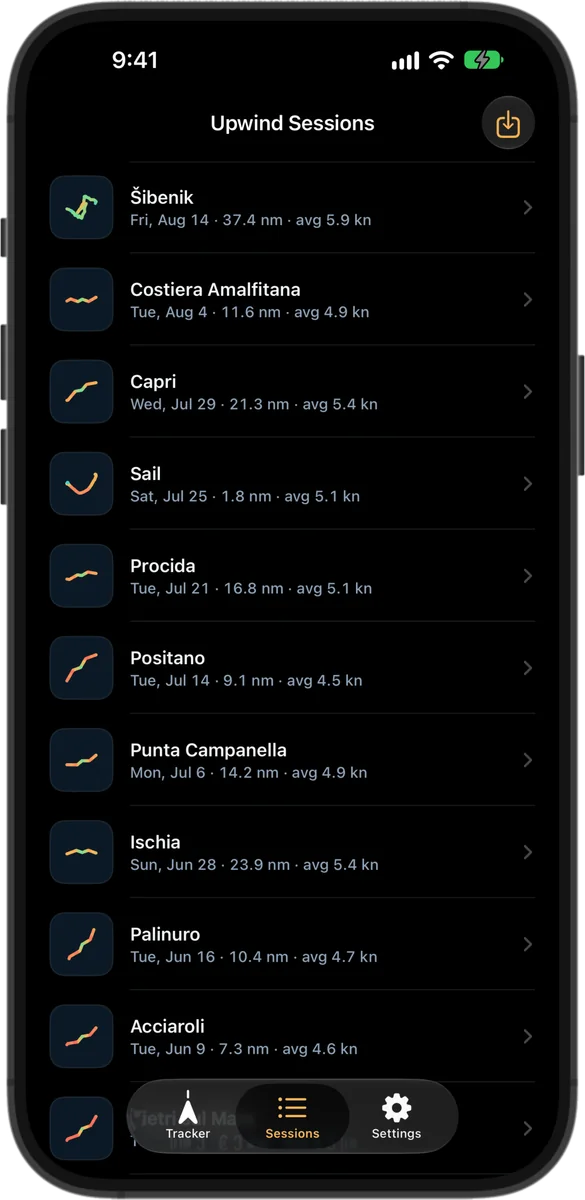
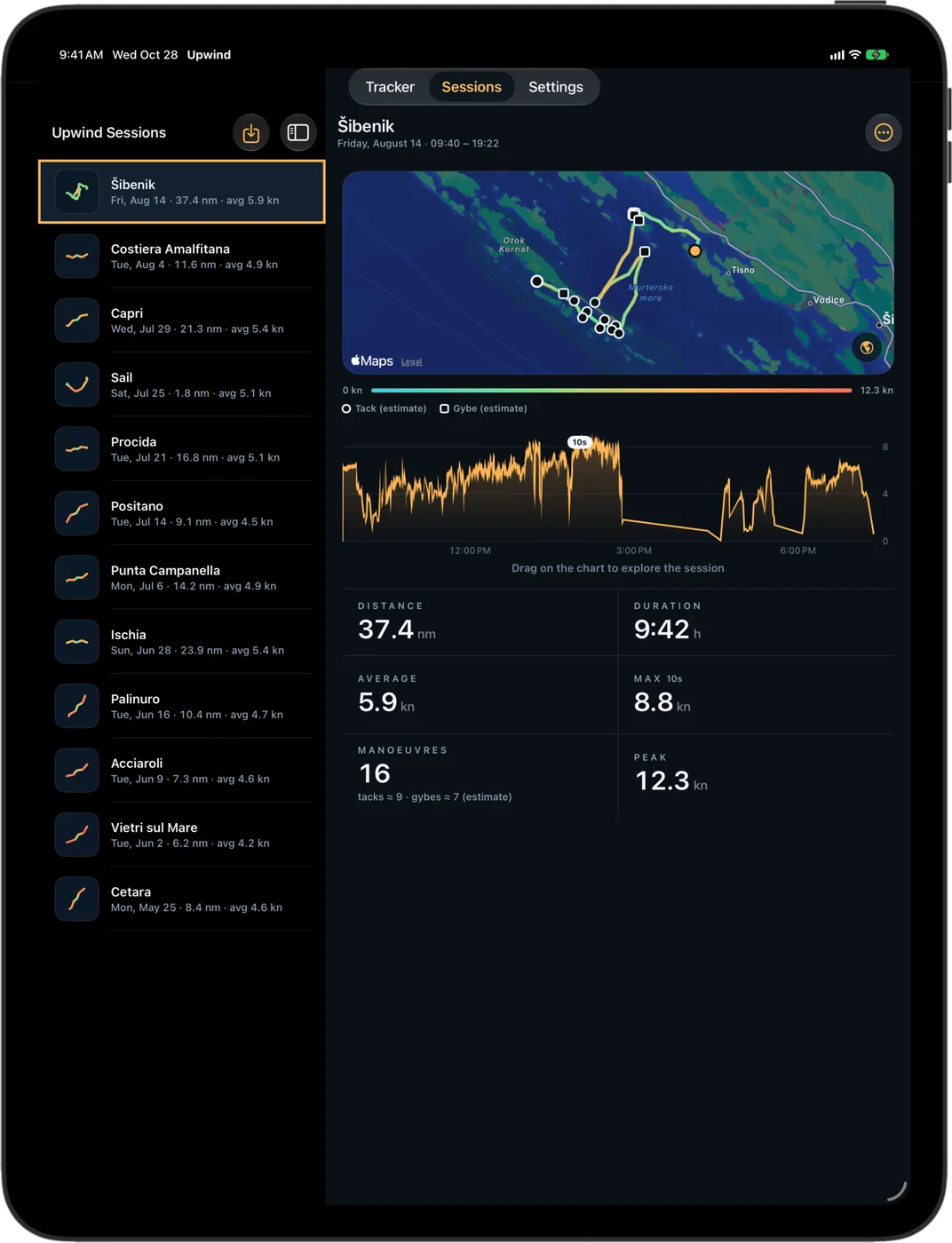
Each session shows distance, duration, average, MAX 10s, manoeuvres and peak. Tacks and gybes are marked on the map: tap one and the chart jumps to that moment. Scrub the chart to read speed, time and position at any instant.

Session detail with manoeuvres on the map
iPhone Duo closed: session detail with manoeuvres
Session list
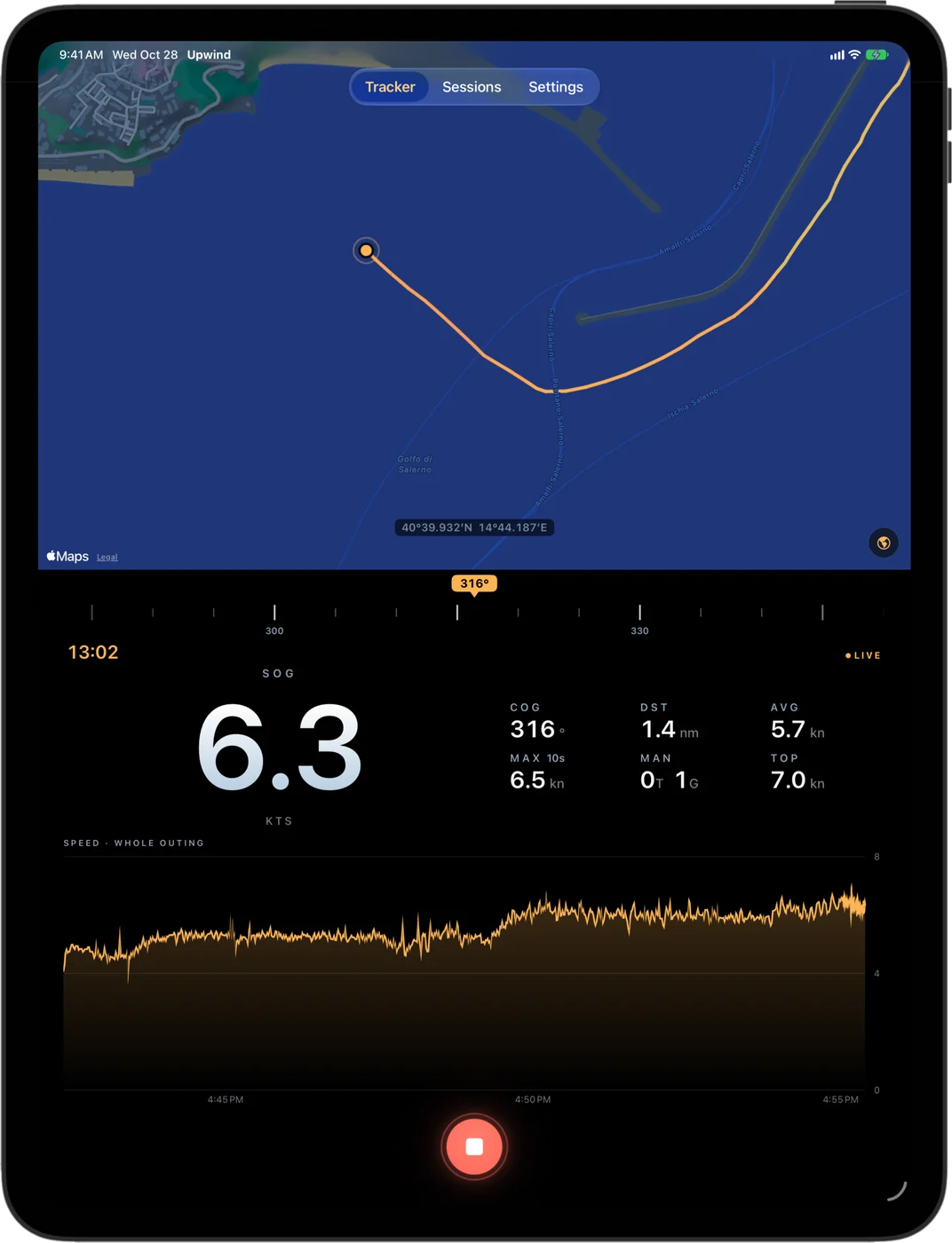
iPad

Everything on one screen.

On iPad the map and the instruments sit together, portrait or landscape, and the session list sits beside the open session. Wi-Fi + Cellular models have real GPS, just like iPhone.

Session list and detail side by side on iPad
Upwind on iPad: map and instruments
Upwind on iPad in night mode
New in 2.0 · iPhone Duo

Open, closed or half open.

The interface adapts to iPhone Duo, on the outer and the inner display, in portrait and landscape.

  • Half open: speed stands tall, the map lies at hand
  • Open: map and instruments on a single screen
  • Closed: speed and course at a glance, the map and the Lock Screen just like on iPhone
iPhone Duo half open: speed on top, map and instruments below
iPhone Duo open: map and instruments on a single screen
iPhone Duo closed: instruments
iPhone Duo closed: map
iPhone Duo closed: speed on the Lock Screen
New in 2.0

What's new.

New Instruments and Map viewsA big speed or the map, from the selector at the top: each with six live values, the speed chart and the compass with your course.
iPhone in landscapeTurn the phone and the instruments and the map lay out in landscape. In Sessions, the list and the open session sit side by side.
Live tacks and gybesUpwind counts your manoeuvres while you sail and marks them on the map of each session. Tack or gybe is an estimate.
Lock Screen and Dynamic IslandSpeed and course stay in sight with the phone locked, with time, distance, MAX 10s and the last 10 minutes of speed.
MAX 10sTop speed is the best 10-second average: a wave or a GPS glitch cannot inflate it. The instant peak has its own value.
iPadMap and instruments on one screen, list and session side by side, with the same values, chart and compass.
iPhone DuoOuter and inner display, portrait and landscape, and half open with the speed standing tall.
Apple WatchBigger speed, the course written on the compass and your manoeuvres on the main screen; the session page adds manoeuvres and peak.
Health and FitnessSessions go to Health as Sailing workouts with their route. You can turn it off in Settings.
Even in light airWith little wind or at anchor, a recording with the screen off no longer stops.
Choose the GPS precisionAutomatic, Maximum or Standard. Automatic uses Maximum only while the phone is charging.
Less batteryThe GPS turns off when you are not on the tracker and not recording, and the screen redraws only what changes.
Privacy

Your data stays yours.

FreeNo subscription, no purchases, no ads.
No accountOpen the app and record. No sign-up, no email.
Private iCloudSessions sync between your devices in your iCloud. No developer servers.
No analyticsNo tracking, no usage statistics. GPS is used only to record your sail.

For sessions longer than a couple of hours, record with an iPhone or iPad connected to onboard power.

Upwind

UPWIND

Sailing tracker for Apple Watch, iPhone and iPad.

Free · No account · No ads